HALO IN 60: Configuring Users General Settings in HaloITSM
Configuration > Users > General Settings is where HaloITSM decides how an Organisation, a Site and a User relate to each other, what an agent can create on the fly from a ticket, and what happens when someone leaves or two records turn out to be the same one. Nine settings on this one screen carry most of that weight.
Organisation And Site Structure
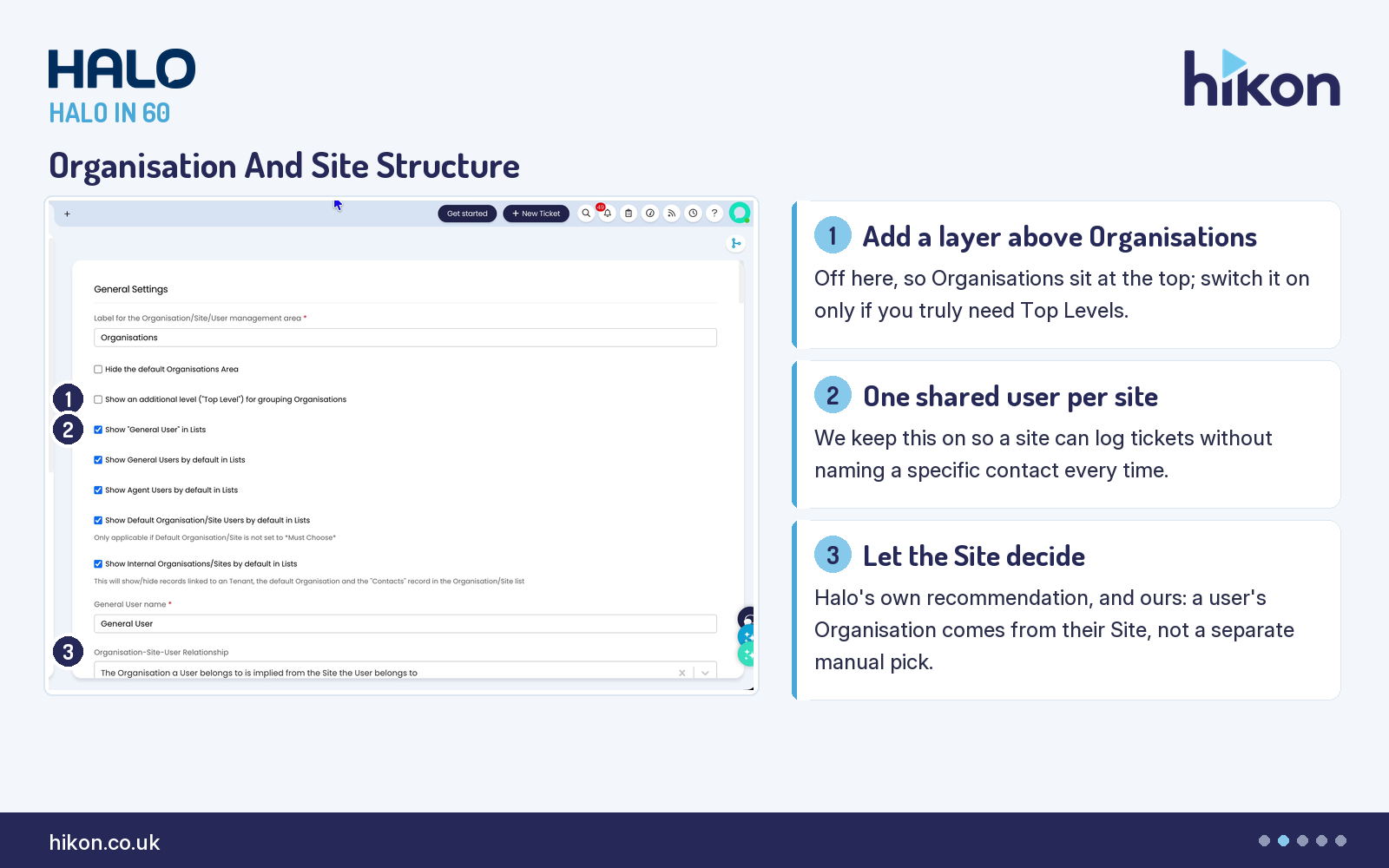
1. Show an additional level ("Top Level") for grouping Organisations
Left off, Organisations sit at the top of the hierarchy with no extra grouping tier above them. Switch it on only if you genuinely need to group Organisations into Top Levels — the guide itself only surfaces the option when it is relevant.
2. Show "General User" in Lists
This adds a shared General User to every site, so a ticket can be logged for a site without naming a specific end-user. It is on by default on the recorded instance.
3. Organisation-Site-User Relationship
The screen's own guide calls this the strongly recommended option, and the recorded instance uses it: a user's Organisation is implied from the Site they belong to, rather than set directly on the user record. Halo's guide advises against the alternative unless a consultant tells you otherwise.
Ticket And Contact Rules
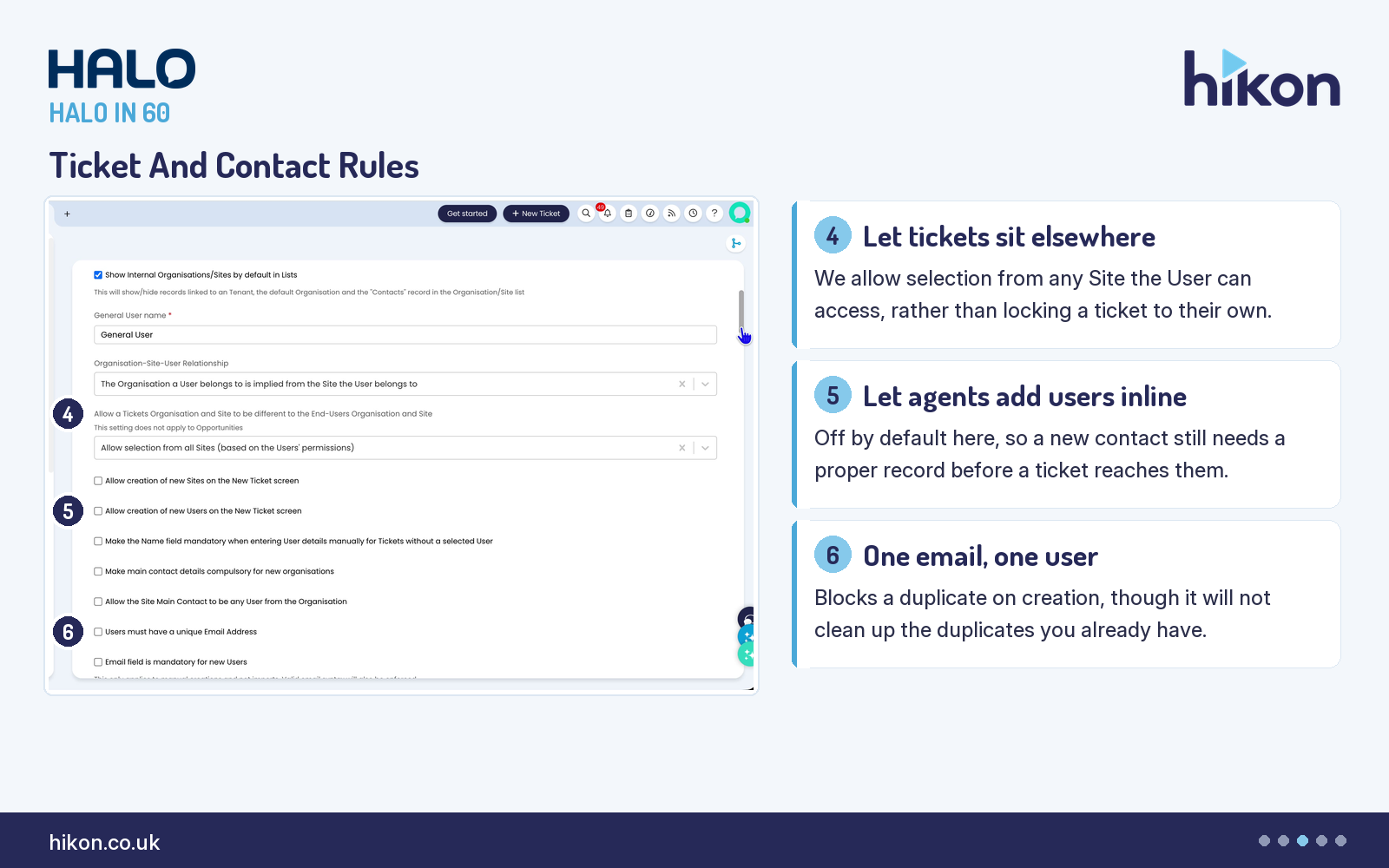
4. Allow a Tickets Organisation and Site to be different to the End-Users Organisation and Site
This lets a ticket's Site differ from the end-user's own Site. On the recorded instance it is scoped to any Site the User has permission to see, rather than only their own Site or sites they are a contact for.
5. Allow creation of new Users on the New Ticket screen
Off by default, this controls whether an agent can create a brand-new User record inline while logging a ticket, instead of choosing an existing one.
6. Users must have a unique Email Address
Enabling this blocks the creation of a new user that shares an email address with an existing one. It only applies going forward: it will not find or merge duplicates that already exist.
Cleanup And Licensing
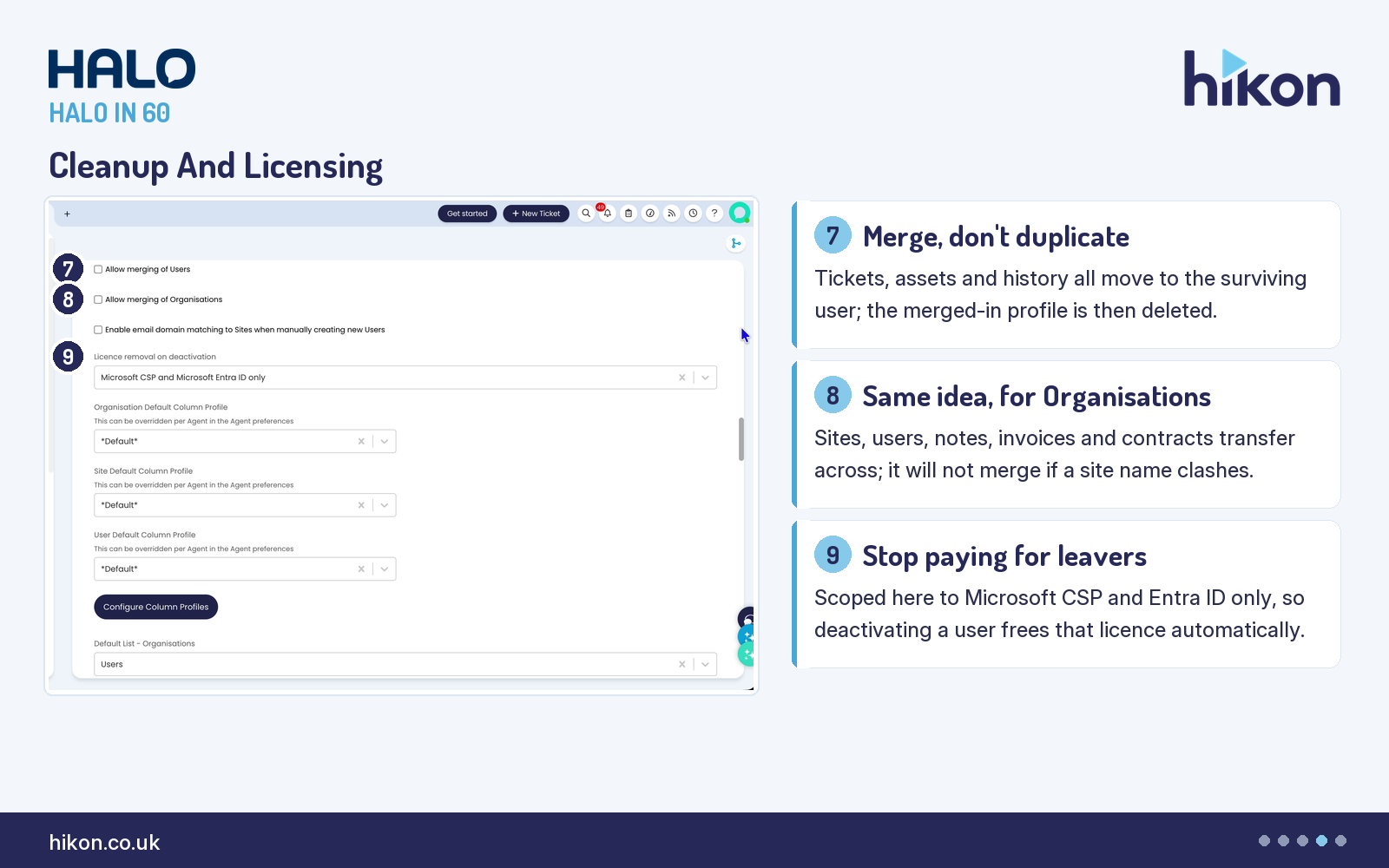
7. Allow merging of Users
Merging users moves the initial user's tickets, assets and other related records onto the chosen user, then deletes the initial user's profile. Fields already populated on the chosen user are not overwritten by the merge.
8. Allow merging of Organisations
The organisation equivalent: sites, users, CRM notes, invoices, contracts and custom fields all transfer to the organisation you merge into. The guide is explicit that it will refuse the merge if a site name on the source organisation already exists on the target.
9. Licence removal on deactivation
Scoped on the recorded instance to Microsoft CSP and Microsoft Entra ID licences only, this automatically frees a licence when the user it belongs to is made inactive.
Where teams get this wrong
Merging looks like the safe cleanup option, but it is one-way: the merged-from profile is deleted once its data has moved, and the guide is specific that only empty fields on the target get filled in, so a populated field on the surviving record is never overwritten by the merge. Decide which record should win before merging, not after.
One documentation note, because it will trip you up while you read along. Halo's own General Settings guide for this screen is written in older "Customer/Site" terminology throughout. This live instance has renamed Customer to Organisation (and, in places, Client to Tenant). Where the guide and the screen disagree on a label, this article follows the screen.
More HALO IN 60 guides
This episode is part of an ongoing series covering one HaloITSM configuration screen at a time. From the same screen: PII Data Flagging. Related episodes: Tickets and Self Service Portal.
Need a hand?
Hikon configures HaloITSM for organisations that would rather it worked properly the first time. If you want a second pair of eyes on your Users configuration, see what we do with Halo.
Vendor reference: Users General Settings. Screens were captured from a live instance; where the guide and the interface differ, this article follows the interface.
Enjoying this?
Talk it through with the people who wrote it — a free 20-minute call, no pitch.
Let's talk →